Toggle(토글)이란?
토글은 두 가지 상태 또는 옵션 사이를 전환할 수 있는 기능 또는 기능을 말합니다.
일반적으로 기술, 컴퓨팅, 프로그래밍 및 통신 분야에서 사용자에게 서로 다른 설정이나 모드를 전환할 수 있는 방법을 제공하기 위해 사용됩니다.
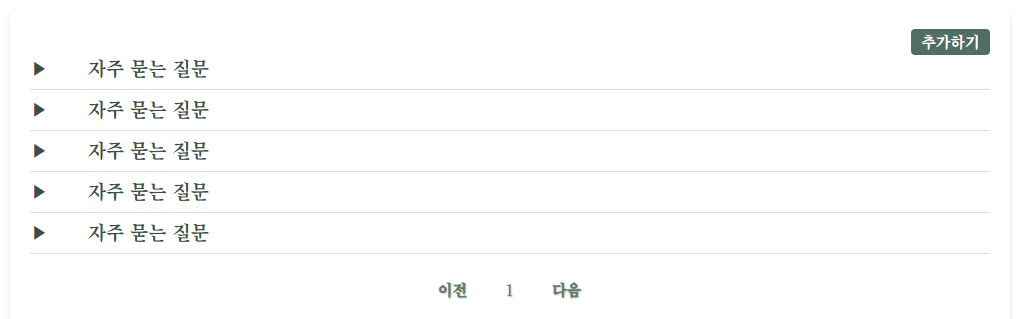
▶ 아이콘 클릭 시 세부 내용이 보일 수 있도록 구현할 예정
[html]
<section class="faq-section">
<ul class="faq-list">
<li class="faq-item">
<div class="question-row">
<span class="icon">▶</span>
<span class="question">자주 묻는 질문</span>
</div>
<div class="answer" style="display: none;">
견뎌야 합니다 ㅎㅎㅎ
</div>
<div class="buttons" style="display: none;">
<button class="edit-button">수정하기</button>
<button class="delete-button">삭제하기</button>
</div>
</li>
</ul>
</section>
▶클릭 후 보일 내용은 display:none으로 보이지 않게 설정
[js]
  document.querySelectorAll(".faq-item .question-row").forEach(row => {
    row.addEventListener("click", () => {
      const answer = row.nextElementSibling;
      const buttons = answer.nextElementSibling;

      // answer요소가 숨겨져 있거나 스타일이 지정되어 있지 않을 경우
      if (answer.style.display === "none" || !answer.style.display) {
        // answer 요소를 보이도록 함
        answer.style.display = "block";
        // bottons 요소를 보이도록 하고  flex 레이아웃 적용
        buttons.style.display = "flex";
        row.querySelector(".icon").textContent = "▼";
      } else {
        answer.style.display = "none";
        buttons.style.display = "none";
        row.querySelector(".icon").textContent = "▶";
      }
    });
  });
[결과]

▶ 클릭후 ▼로 변환되며 세부내용이 보이게 된다.
'FrontEnd > JavaScript' 카테고리의 다른 글
| [JavaScript]Pagination 구현하기 (0) | 2024.11.13 |
|---|